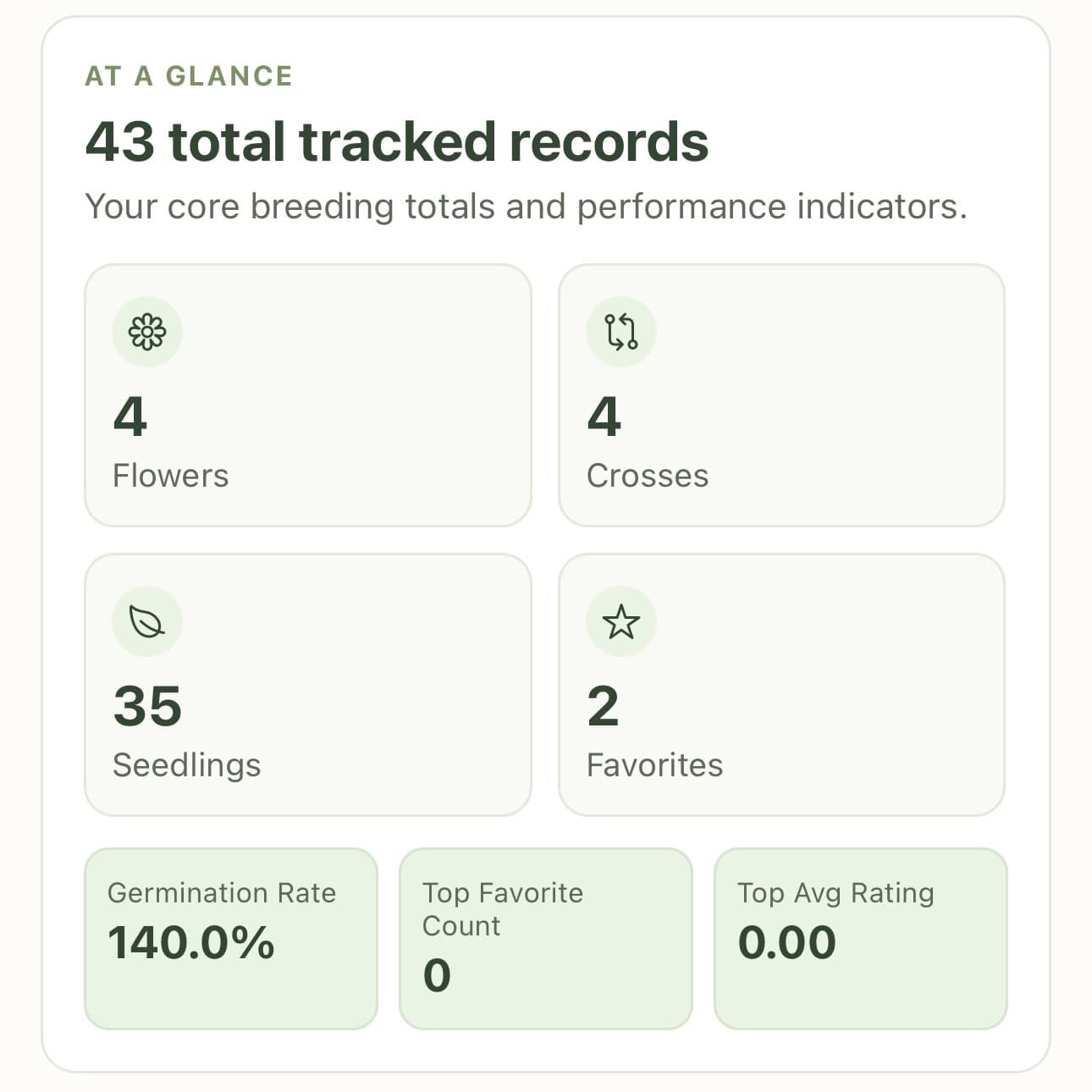
Step 1
Built for dahlia breeders, By dahlia breeders
Keep every cross, seedling, and standout bloom moving forward.
DahliaGens is a focused mobile workspace for dahlia breeders and even growers, combining structured records, evaluation tools, exports, and a visual garden planner in one clean workflow.
Step 2
Seedlings evaluated
Step 3
Favorites promoted
Step 4
Records exported
Program snapshot
Compare parent performance, identify repeat winners, and keep field observations connected to bloom outcomes.
Plans
Choose the plan that matches your breeding program.
Every tier includes the core DahliaGens workflow, with room to scale flowers, crosses, photos, and garden planning.
Free
$0
Forever free
A solid starting point for new growers and small trial programs.
- ✓10 flowers
- ✓5 crosses
- ✓1 photo per flower
- ✓1 garden, up to 10×10
Hobbyist
Most popular$5/month
or $45/year
Best fit for active breeders who need room to scale each season.
- ✓Unlimited flowers
- ✓Unlimited crosses
- ✓2 photos per flower
- ✓3 gardens, up to 30×30 each
Enthusiast
$8/month
or $60/year
For serious breeding programs managing high-volume records and long-term analysis.
- ✓Unlimited flowers
- ✓Unlimited crosses
- ✓Unlimited photos per flower
- ✓Unlimited gardens, no size limit
From Cross to Bloom
A complete breeding lifecycle, built for real field decisions.
DahliaGens keeps each stage connected so you can trace outcomes back to intent, spot strong lines, and plan the next season with confidence.
01
Design intentional crosses
Log parent pairs, season, and goals so each cross starts with a clear purpose and searchable lineage.
02
Generate and organize seedlings
Create seedling records from each cross, attach photos, and tag each plant with custom traits and field notes.
03
Evaluate and promote top performers
Use favorites, ratings, and shortlists to compare candidates and move your strongest seedlings forward.
04
Track blooms and outcomes over time
Build long-term flower histories tied to parents, performance metrics, and garden placement decisions.
Core capabilities
Depth where breeders need it most.
Every feature is built to improve selection quality, preserve context, and reduce time spent rebuilding records from scattered notes.
✿
Flower catalog with filters
Store flower photos, notes, and ratings in a searchable catalog built for dahlia traits and selection cycles.
★
Seedling evaluation tools
Score seedlings, mark favorites, and promote promising lines without losing context from prior seasons.
▣
Stats & export
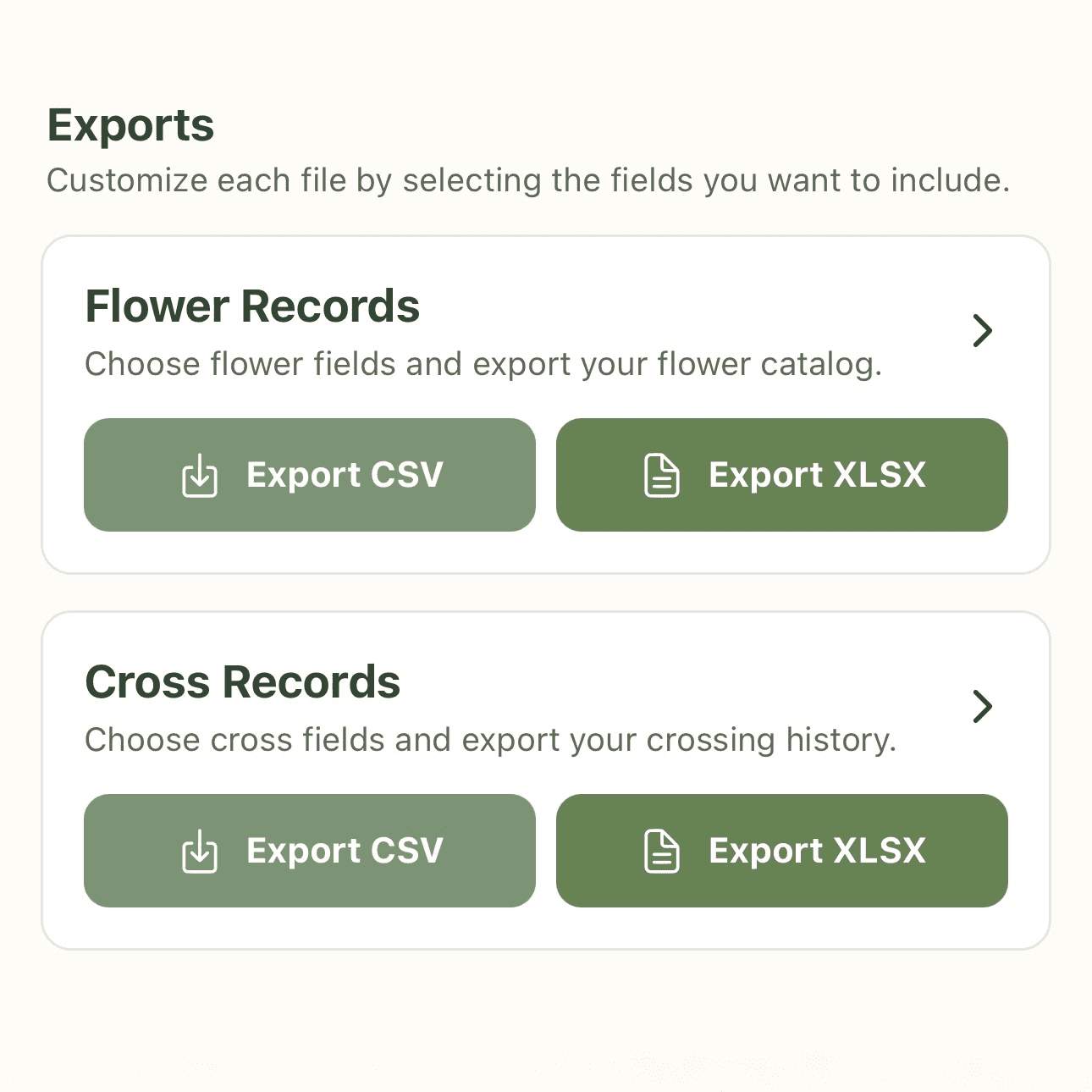
Review parent performance and key trends, then export records as CSV or XLSX for deeper analysis.
◩
Garden planner
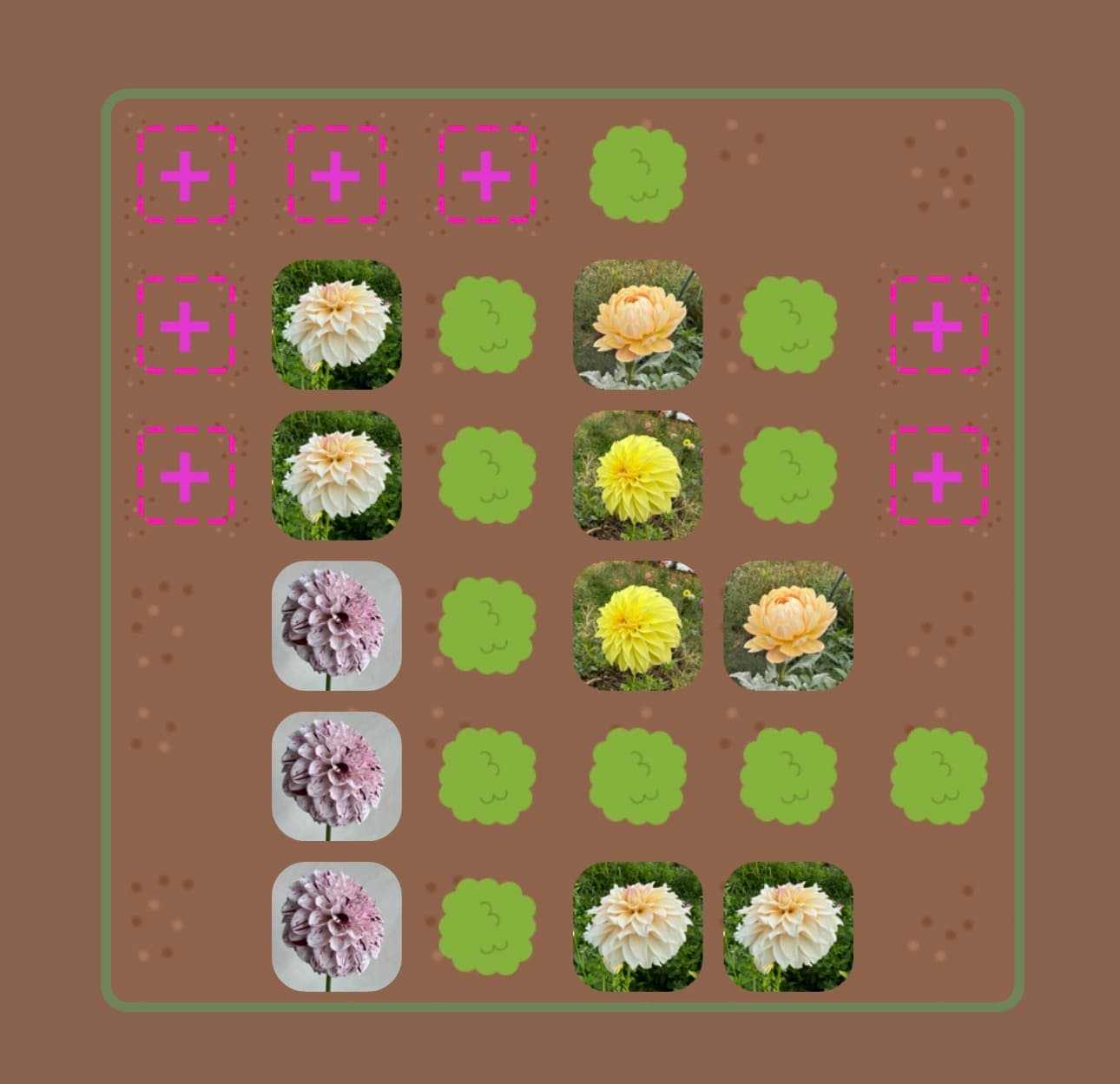
Place flowers visually in your beds so you can plan spacing, compare combinations, and track real-world layout.
⚙
Custom fields
Capture the exact attributes that matter to your breeding program with flexible structure and clear organization.
⎘
Organized breeding records
Replace scattered notes and spreadsheets with one reliable source for every cross, seedling, and flower.
App previews
Live DahliaGens workflow screenshots.
These are real captures from the app to show the core breeder workflow, from cross planning to exports and trait analysis.
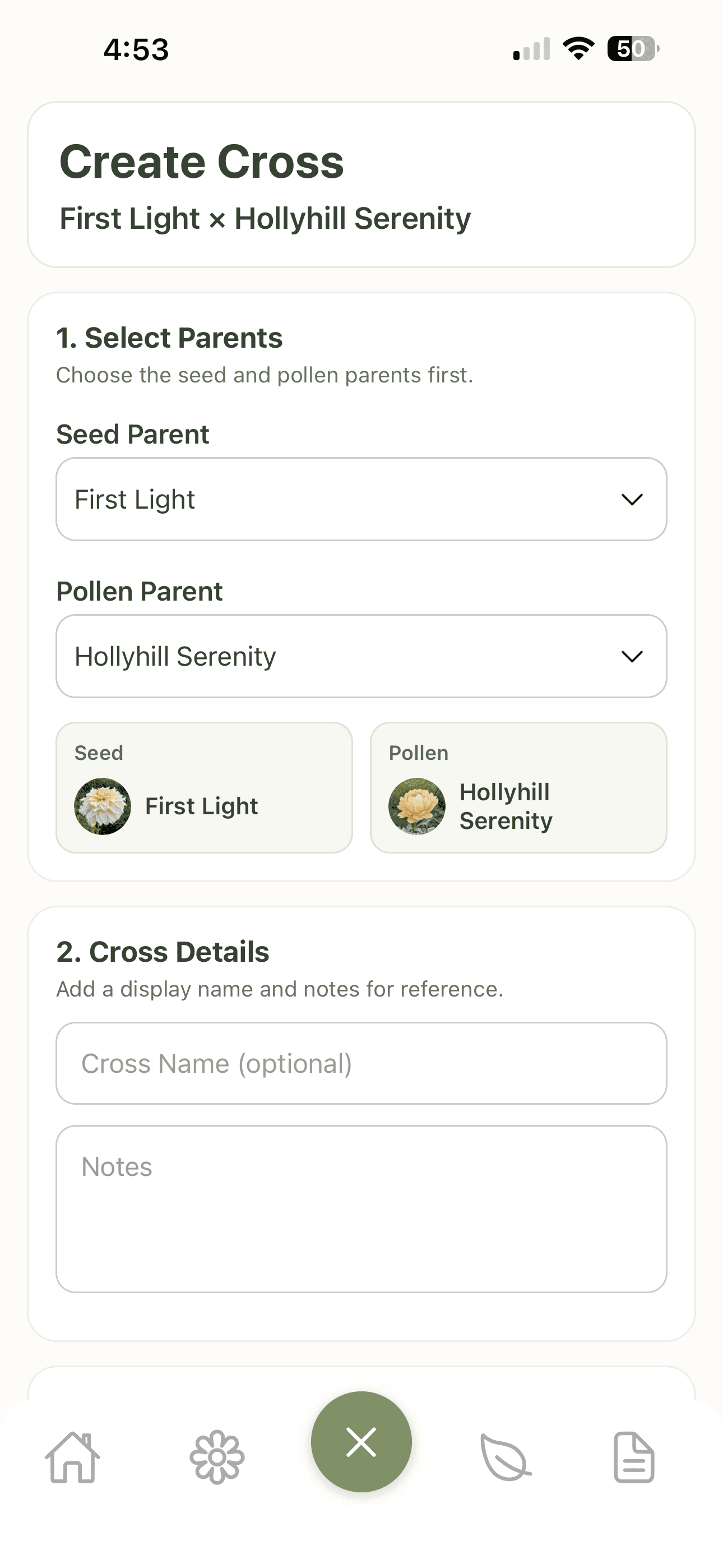
Cross creation workspace
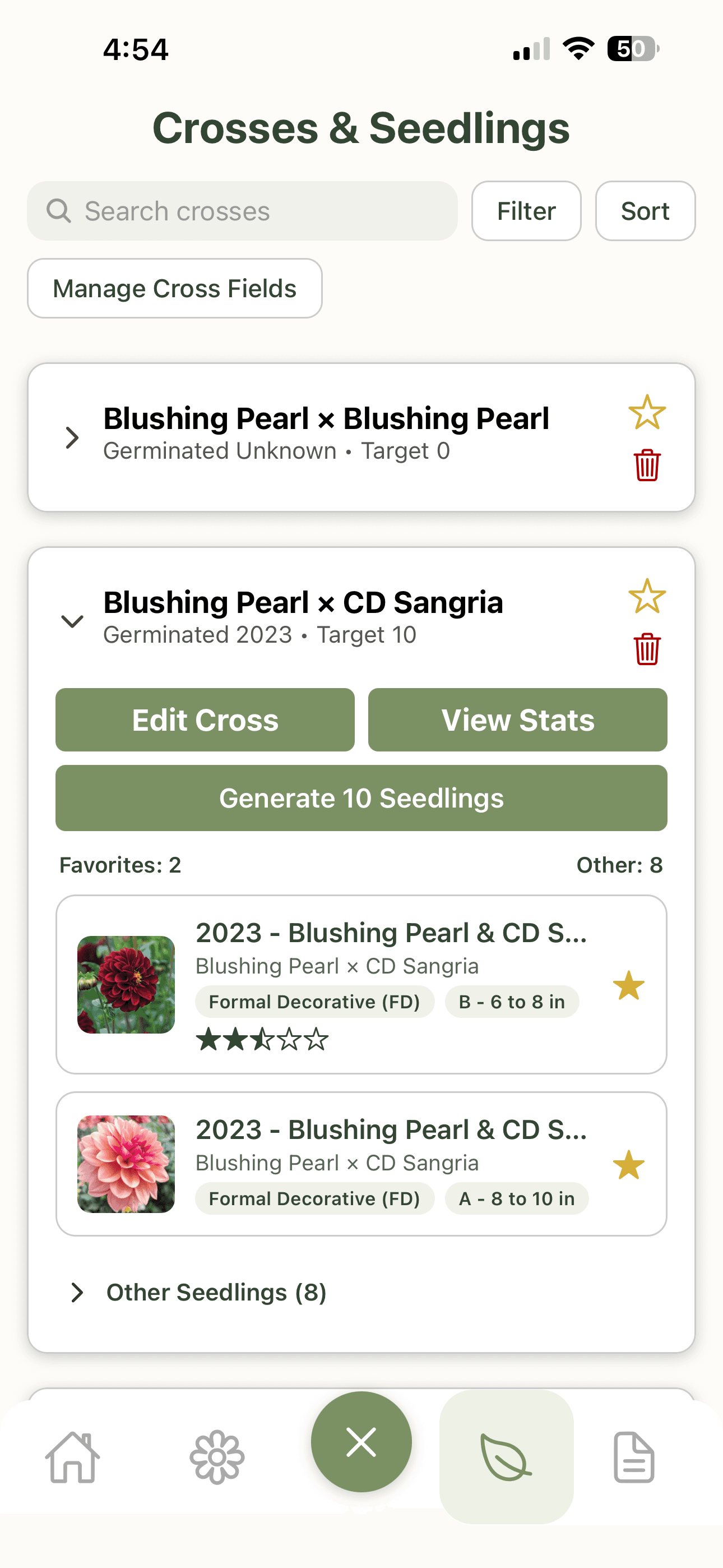
Seedling list & evaluation
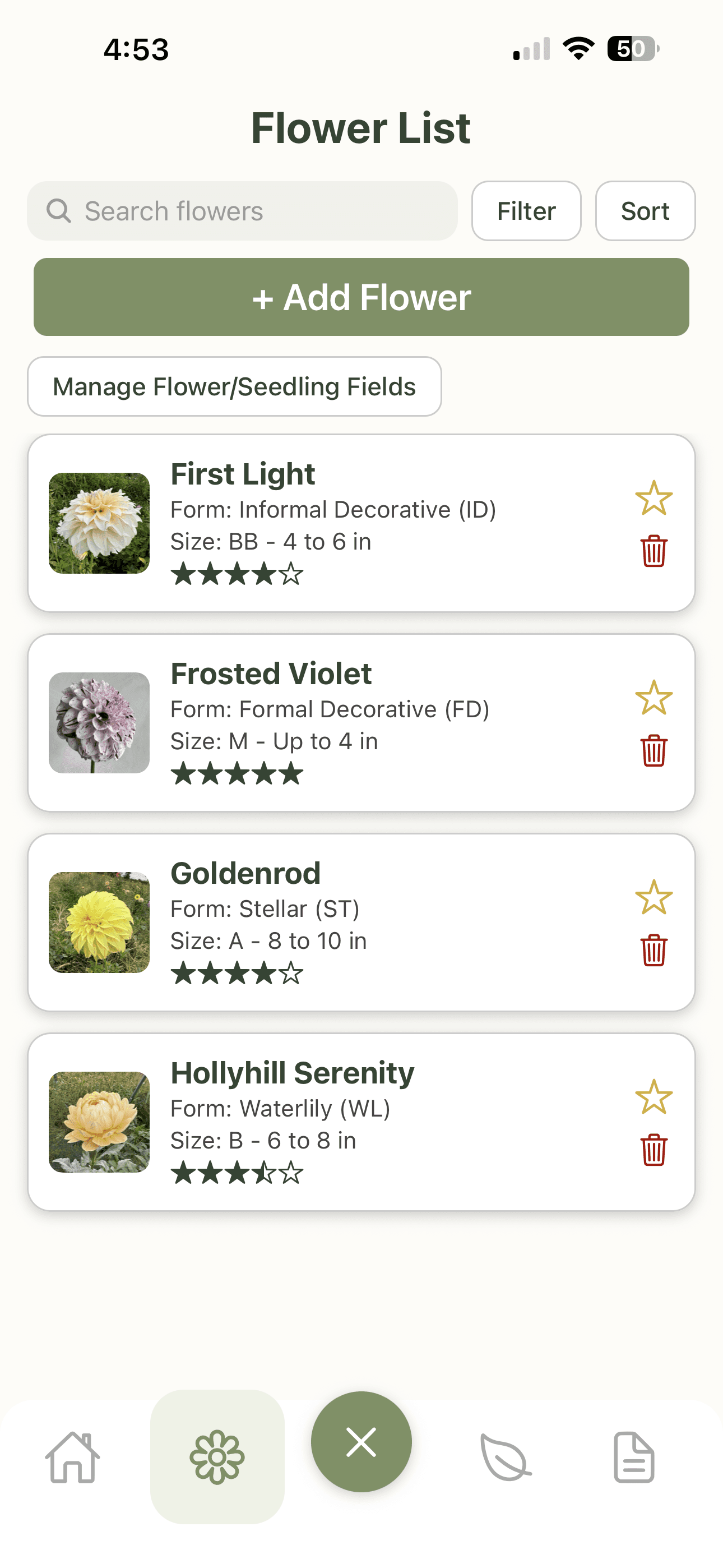
Flower library overview
Spotlight
Visual garden planning that supports breeding strategy.
Lay out flowers in a visual garden map to test placement, compare combinations, and keep performance context tied to real bed locations.
Spotlight
Stats and exports serious growers can trust.
Review trend summaries, compare parent influence, and export clean CSV/XLSX files for long-term breeding analysis and reporting.